Voicemaker
Overview
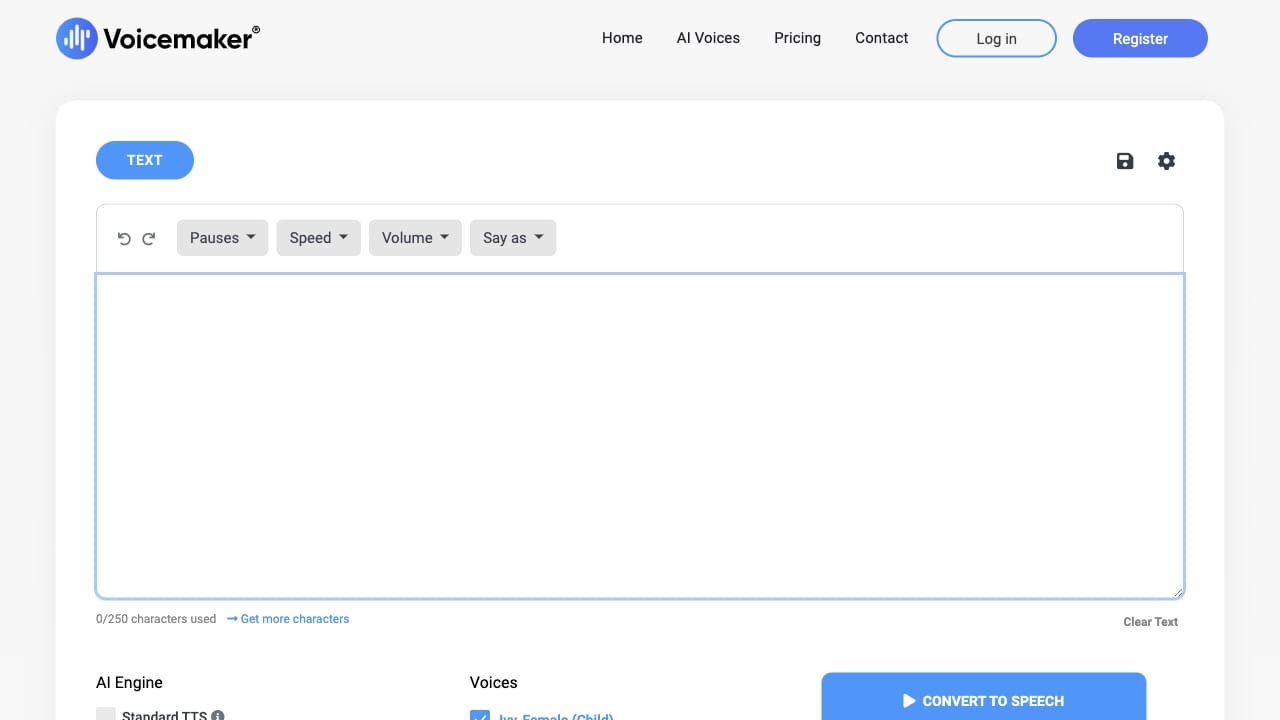
Voicemaker is a text-to-speech converter that utilizes AI to transform written text into natural-sounding audio. The platform provides a wide selection of voices categorized by gender, age, accent, and style, including options for animation, narration, conversational, and professional applications. Users can customize their audio output by adjusting pitch, speed, and pauses, and can apply specific voice effects such as newscaster, soft, whispered, or emotional tones.
The tool is designed for content creators, developers, and businesses looking to generate audio for social media, advertisements, IVR systems, and educational materials. It supports multiple audio formats and sample rates, offers a pronunciation editor, and includes features for multi-speaker projects and file uploads from PDF, text, or document formats.
How to use it?
- Enter or upload your text content into the platform’s text box.
- Select your preferred voice from the available categories, including Pro, Default, or Cloned options.
- Adjust settings like pitch, speed, and pauses using the interactive sliders, or apply specific voice effects.
- Choose your desired audio format and sample rate, then click submit to generate and download your audio file.
Features
Text to Speech Conversion: Voicemaker can convert text into speech.
Wide range of voice profiles: Users can choose from various voice options.
Voice effects customization: Customizable voice effects are available.
Pauses settings: Users can adjust pause settings.
Speed, pitch, and volume control: Control over speed, pitch, and volume is provided.
Say-as feature for specific formats: It offers a special feature for specific formats pronunciation.
Download audio in multiple formats: Users can download the audio in different formats.
Share audio on various platforms: Audio files can be shared on different platforms.
Similar Websites